


Starting May 1, 2025, Thailand introduces a mandatory electronic entry form — the Thailand Digital Arrival Card (TDAC), also known as TDIC. This digital system replaces the old paper-based TM6 forms and must be completed by all foreign nationals before entering the country.
Below is a detailed step-by-step guide to filling out the form to ensure a smooth immigration process.
General Rules & Requirements
- Submission Window: Can be filled out no earlier than 3 days before arrival.
- Who Needs It: All travelers, regardless of visa status or mode of entry (air, land, or sea).
- Cost: Free of charge.
- Result: A QR code that you can download as a PDF or save as a screenshot.
Step-by-Step Instructions
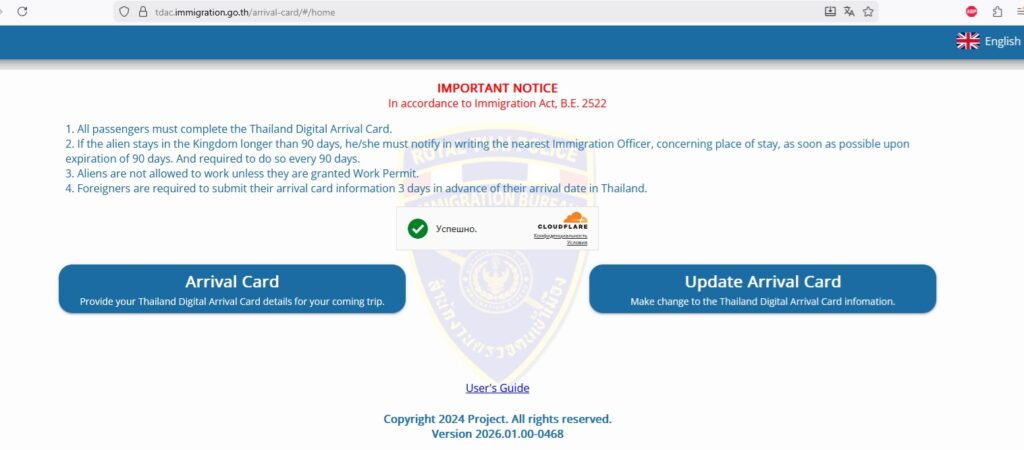
1. Access the Official Website
Visit the official TDAC portal.
https://tdac.immigration.go.th
You can select your preferred language in the top right corner (English is the default for international travelers). On the homepage, click on “Arrival Card”.
2. Personal Information
Fill in the details exactly as they appear in your passport:
- First & Last Name: Use Latin characters.
- Nationality: Start typing your country and select it from the dropdown list.
- Passport Number & Date of Birth.
- Country of Residence: The country where you currently live and hold residency.
- Occupation: State your current job (e.g., “Manager,” “Engineer,” or “Unemployed”).
- Visa Number: This field is optional if you are entering under a visa-exempt scheme (visa waiver).
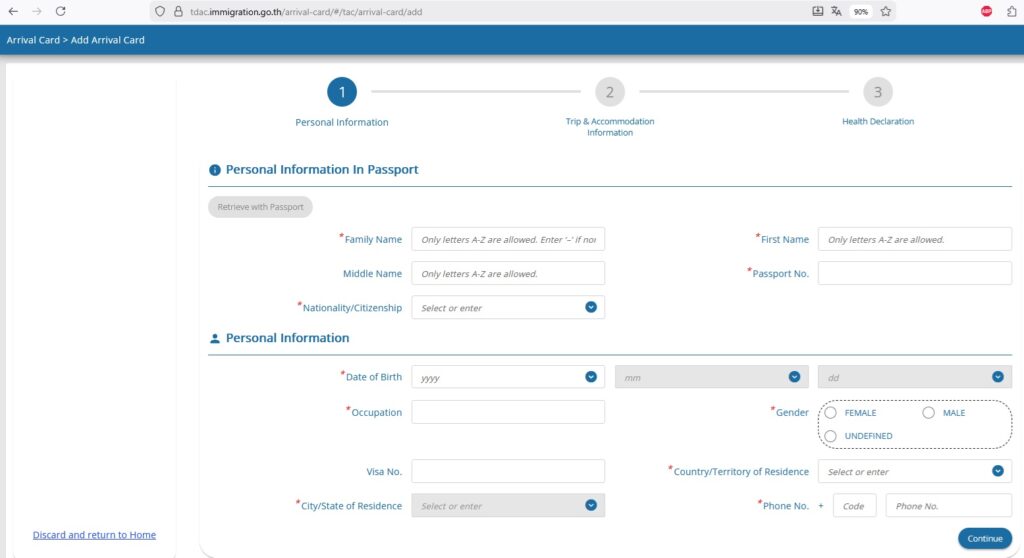
After you fill in all the fields marked with a red asterisk, click the blue “Continue” button at the bottom right.
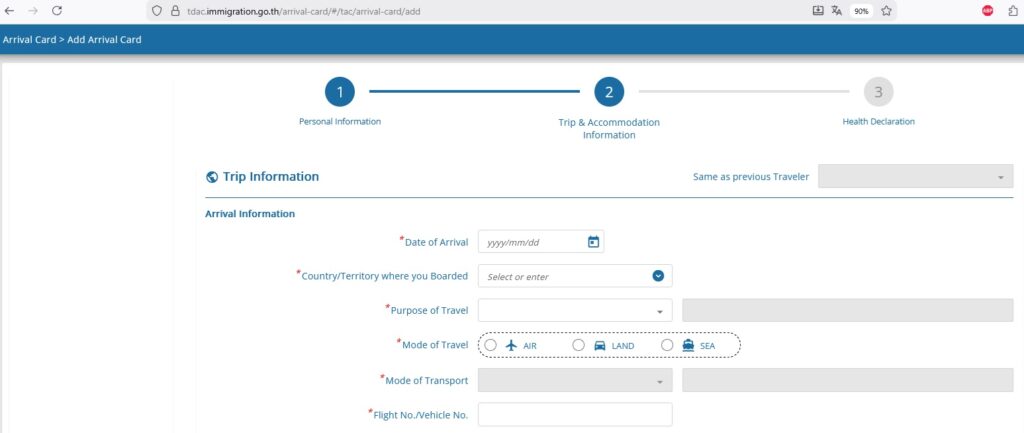
3.1 Travel Information
- Date of Arrival: Select the date you land in Thailand.
- Country of Departure: Specify the country you are flying from. If you have a layover (e.g., via China or UAE), indicate the country of your last connection.
- Purpose of Visit: Most tourists should select “Holiday” or “Tourism.”
- Travel Method: Choose “Air,” “Land,” or “Sea.”
- Transport Details: For regular flights, select “Commercial flight” and enter your flight number (e.g., EK384).
3.2. Departure Information
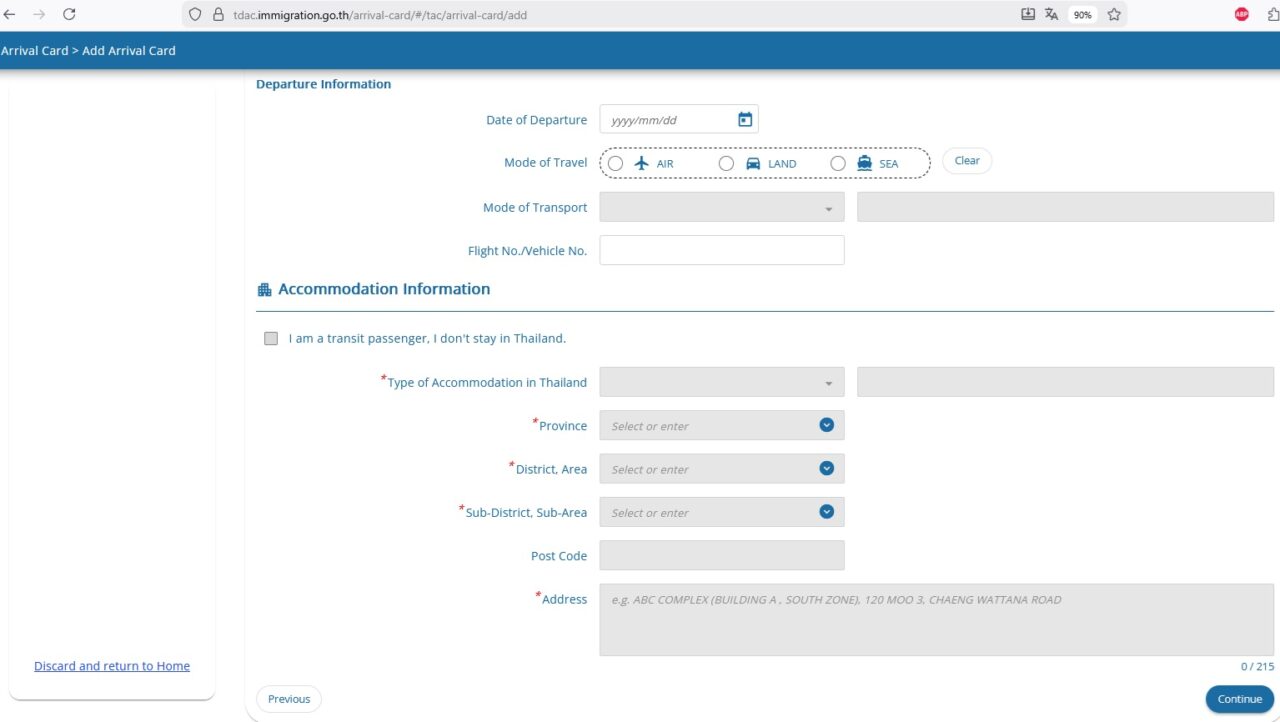
- Enter your planned date of departure from Thailand and your return/onward flight number.
3.3. Residence in Thailand
- Type of Accommodation: Hotel, Hostel, or Private Residence.
- Address Search: It is easiest to find your hotel on Google Maps and copy the address.
- Province & District: For example, Province: Surat Thani, District: Koh Samui.
- Postal Code: Usually fills in automatically once the district is selected.

After you fill in all the fields marked with a red asterisk, click the blue “Continue” button at the bottom right.
4.1 Health Declaration
- List all countries you have visited in the 14 days prior to your arrival in Thailand. You do not need to list transit airports where you didn’t leave the terminal.
4.2. Adding Travelers & Review
If you are traveling with family, you can click “Add more travelers” to submit a group application.
Note: If children are included in a parent’s passport and do not have their own, a separate form for them is not required.
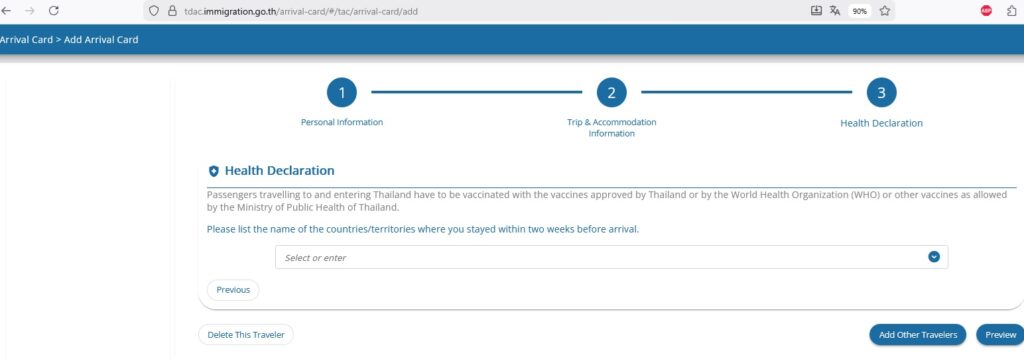
After that, click the “Preview” button.
5. Confirmation & QR Code
- Enter a valid email address (Gmail or other international services are recommended to ensure receipt).
- Review all information in the preview window and click “Submit”.
- A QR code will appear on the screen. Download it as a PDF or take a screenshot immediately.
Click the checkbox that you have read and understand the terms and conditions, and then click the “Submit” button.
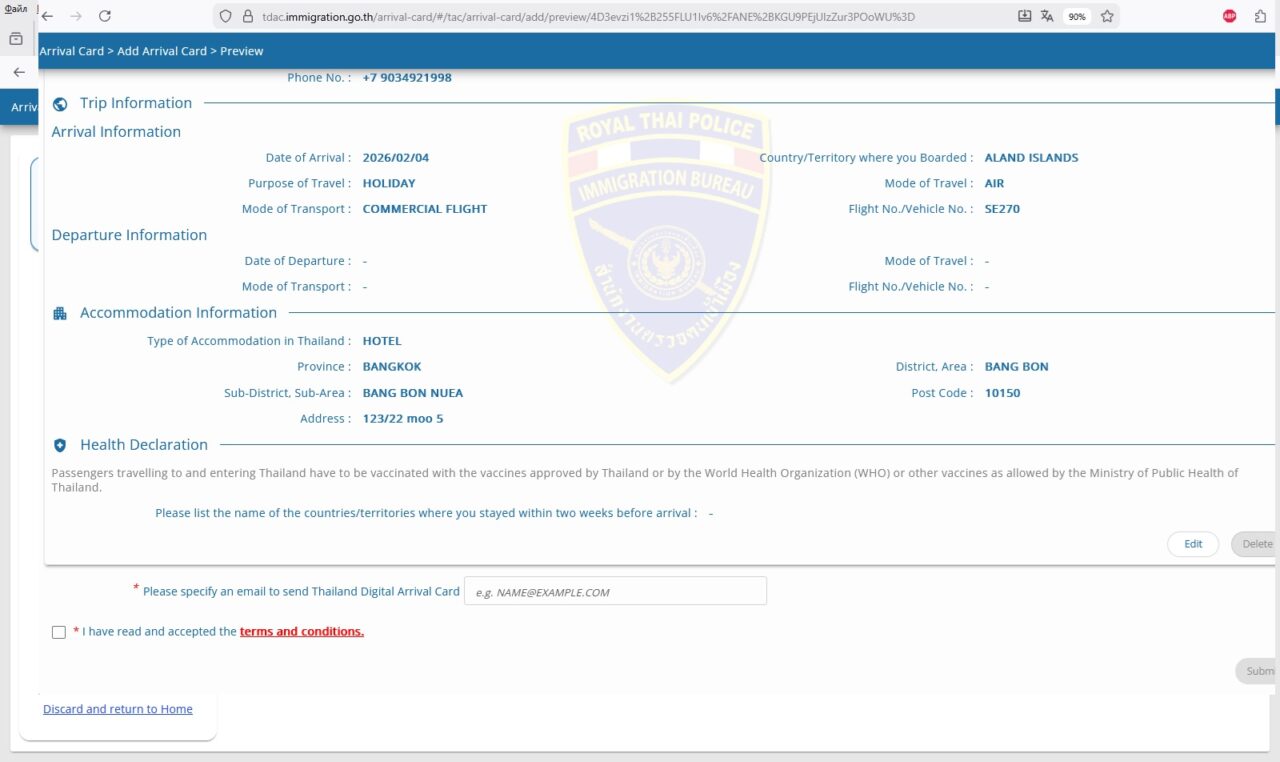
How to Edit Your Data?
If your flight number or hotel changes after submission, go back to the website
https://tdac.immigration.go.th
and select “Update Arrival Card,” and enter your application number and passport details to make corrections.